
Trello Project Management: Complete Course
 Course Description
Trello Project Management: Complete Course covers everything students need to know on Trello to boost their productivity. It teaches you how to manage projects and tasks, enhance team collaboration and improve work rate or output. The course is of appropriate length and will equip you to start using Trello and work more efficiently. The instructor has put his best foot forward to explain each and every item in the Trello app.
Once you complete the training, you’ll actually start using the tool to your utmost benefit and know the ins and outs of effective project management with Trello.
Course Price
$47

Student Requirements
Students need to have a strong internet connection and a Smartphone, tablet or computer. The course can be taken by students of all levels; however, it’s best suited for project management professionals looking for an easy online tool like Trello while working on projects of all sizes.
Course Objectives and Learnings
On successful completion of […]

 Combining emails and to-dos may not be a feasible idea; however, segregating the two can be a tough row to hoe. So, let’s settle for a comfortable medium.
 1. Asana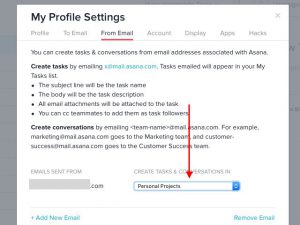
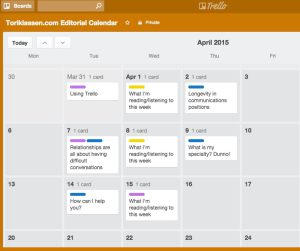 Managing content for multiple clients is no small task. A coherent content/editorial calendar can be the key to helping content teams stay on top of the work. At Heroic Search, we’ve created ours in Trello. Trello is great because it offers a variety of tools that can be used in whatever way is most helpful.
 Trello is being used in a variety of ways by a number of its customers. This news list describes some of the innovative and unconventional ways it has been used so far, and it seems it is as flexible as one’s imagination will allow. Read along how creative people make use of it in podcast production, keep track of statistics, track goals, and even plan and manage life.


 Trello web-based productivity and collaboration software recently announced the release of several new features. It made news some months ago when CEO Michael Pryor mentioned that as many as 120,000 new users are signing up for the application every week. In response to that, it will now be easier for users to invite even more people to join their boards. Also, users can share links to comment faster and easier for other people to read. Users have a quicker access to helpful tips as well as to integrations.
 New York-based project management service, Trello, is surprisingly being used by 10m users globally, and has added another feather to its cap with 120,000 new users signing up every week, according to CEO Michael Pryor.