How Bridge24 Synchronizes Your Asana, Basecamp, and Trello Data

(version française)

At Bridge24, we know that trust is the cornerstone of project management. When you connect tools like Asana, Basecamp, or Trello to our platform, you are entrusting us with access to your most strategic information: your tasks, your projects, and your teams.

This is why we have designed our architecture with one absolute priority: your privacy.
Today, we want to pull back the curtain on the technology that powers Bridge24 to explain exactly how we handle your data.

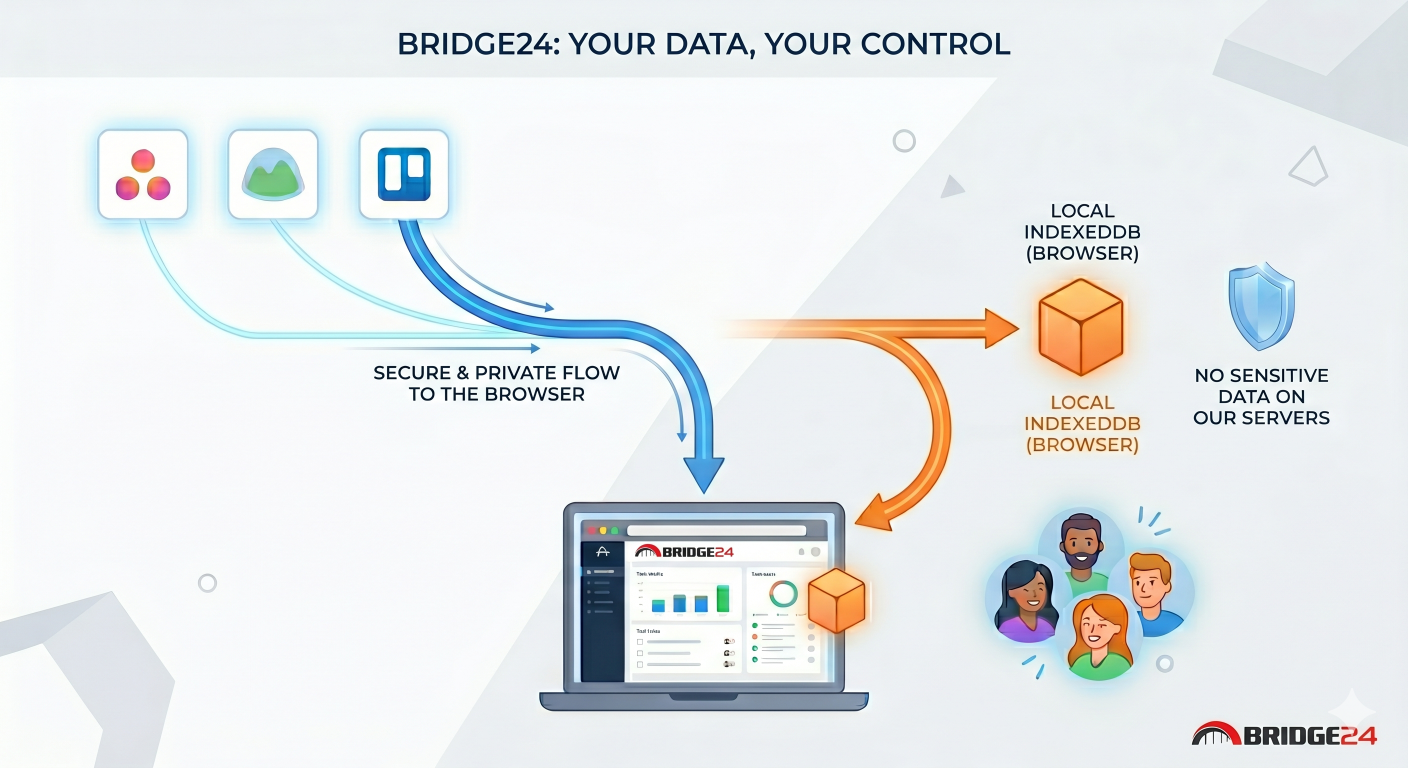
Your Data Stays with You (And Nowhere Else)

The question we are asked most often is, “Where is my data stored?”
The answer is simple: in your browser.

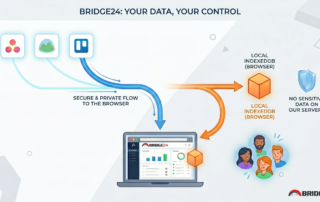
Bridge24 utilizes a technology called IndexedDB. It is a local database built directly into your web browser.
Essentially, when you use Bridge24, we act as an interface for viewing and manipulating your data: we display it, but we do […]

By |2026-04-24T13:58:15-04:00April 24, 2026|

Comment Bridge24 synchronise vos données Asana, Basecamp et Trello

(version anglaise)

Chez Bridge24, nous savons que la confiance est le pilier central de la gestion de projet. Lorsque vous connectez vos outils comme Asana, Basecamp ou Trello à notre plateforme, vous nous confiez l’accès à vos informations les plus stratégiques : vos tâches, vos projets et vos équipes.

C’est pourquoi nous avons conçu notre architecture avec une priorité absolue : la sécurité de vos données.
Aujourd’hui, nous souhaitons lever le voile sur la technologie qui alimente Bridge24 pour vous expliquer comment nous traitons vos données.

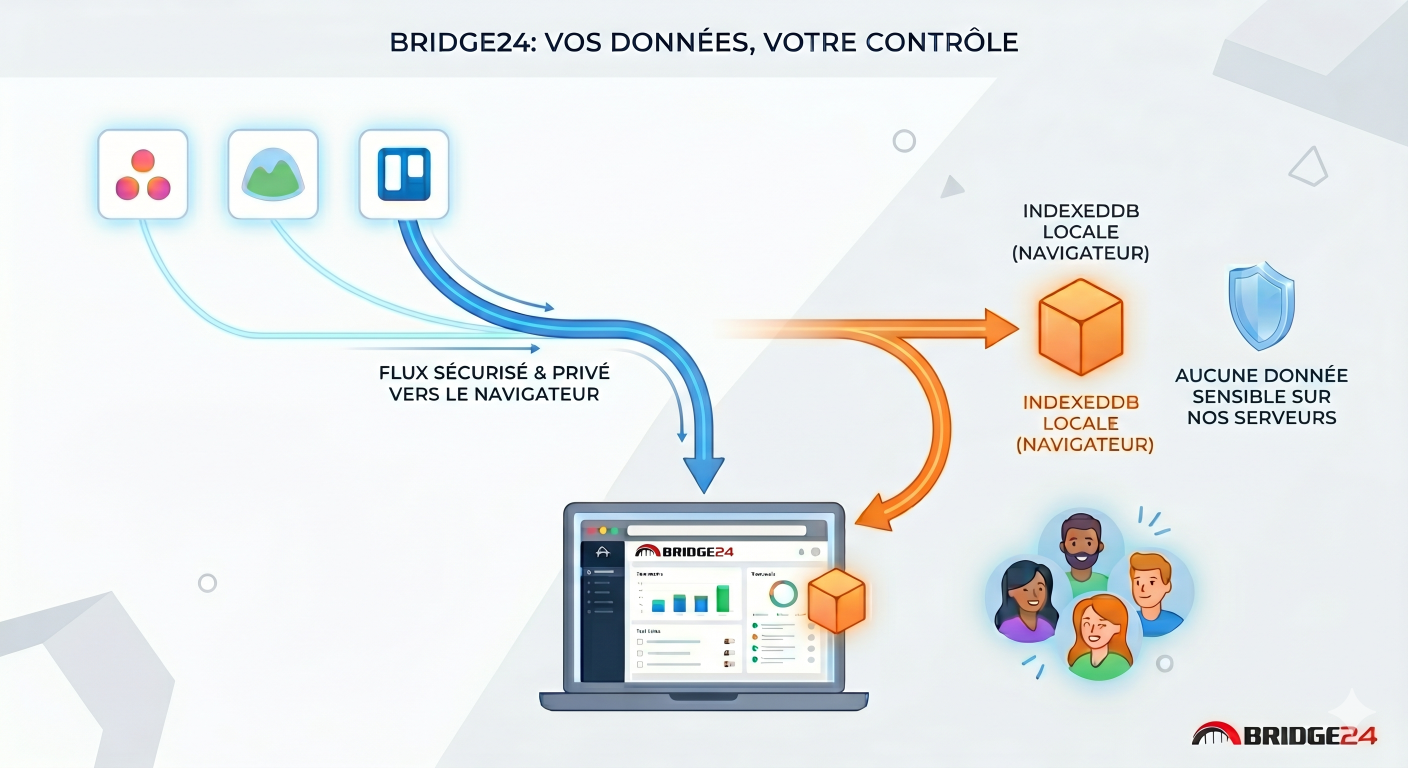
Vos données restent chez vous (et nulle part ailleurs)

La question que l’on nous pose le plus souvent est : « Où sont stockées mes données ? ».
La réponse est simple : dans votre navigateur.

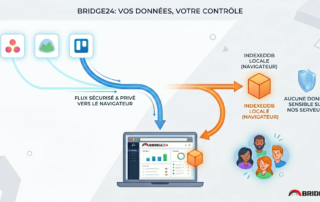
Bridge24 utilise une technologie appelée IndexedDB. Il s’agit d’une base de données locale intégrée directement à votre navigateur web. […]

By |2026-04-24T13:59:10-04:00April 24, 2026|

Basecamp – All Tasks, One Place

Basecamp 3 offers three types of tasks.

The primary task type — available since the platform’s inception — is the classic to-do.

Later, Basecamp introduced a board view with tasks represented as cards, offering a more visual, Kanban-style workflow.

Within each card, you can add sub-tasks called “Steps.” These steps can have their own assignees and due dates, independent of the card’s main settings.

However, viewing all this information — to-dos, cards, and steps — in one place within Basecamp can be challenging, as it requires navigating through multiple sections.

Bridge24 solves this by allowing you to view all these task types in a single, unified interface.

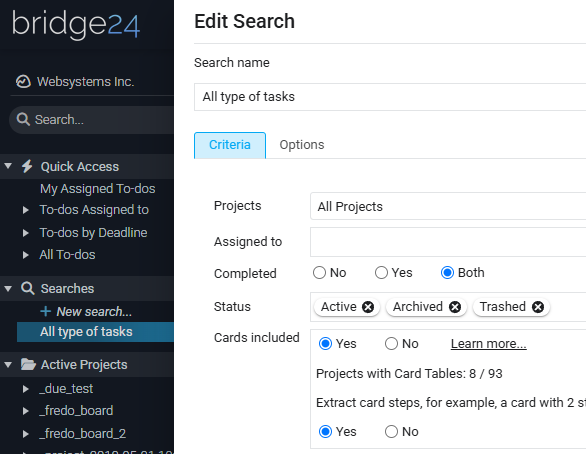
Simply create a search, specify that you want to include cards, and enable the option to expand steps.

Finally, look at the results in the data grid.

By |2025-10-16T10:17:43-04:00October 16, 2025|

Top 10 Best Basecamp Integrations

Basecamp, a renowned project management tool, offers many features to streamline workflow and increase productivity. However, to leverage its full potential, integrating it with third-party tools can be a game-changer. Here’s a look at the top 10 Basecamp integrations that can transform how you manage projects and tasks.

If you need an advanced reporting and exporting platform to boost Basecamp’s capabilities, consider our tool Bridge24 for Basecamp.

1. Everhour – Time Tracking Master

Everhour shines in its ability to track time efficiently. It integrates seamlessly into Basecamp, providing insights into how much time your team spends on each project. This integration is crucial for setting realistic deadlines, maintaining budgets, and enhancing transparency in client communications.

Real-life Example: A digital marketing agency uses Everhour to track the time spent by its […]

By |2024-03-30T06:54:28-04:00March 30, 2024|

The Pros and Cons of Using Basecamp Software

Basecamp is an online project management and team collaboration software with various capabilities. Users can create to-do lists, assign tasks to one or multiple people, attach files that can be shared and searched, and automatically update everyone involved about the status of the to-do items. Basecamp’s third iteration is notable for its emphasis on uncomplicated organization and several communication tools, among its most robust features. The platform also offers a free personal plan with limited features.

If you need an advanced reporting and exporting platform to boost Basecamp’s capabilities, consider our tool Bridge24 for Basecamp.

Basecamp Cons and Disadvantages

Basecamp, as a trailblazer in online productivity software, has established a devoted following. The platform’s emphasis on providing only the essential features has made it less daunting for companies that may feel intimidated by […]

By |2023-12-14T16:29:12-05:00December 8, 2023|

Calculated Fields for Asana, Basecamp, and Trello

Calculated fields or computed fields are a feature that allows users to perform calculations based on values from other fields within the same project. They are typically used to automate the calculation of values that would be time-consuming or error-prone to do manually.

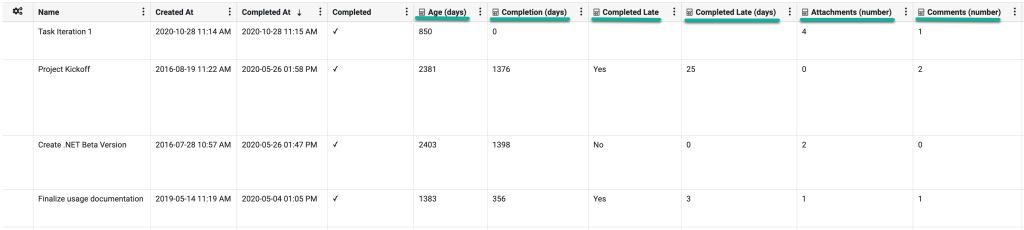
Bridge24 offers six calculated fields for Asana, Basecamp, and Trello. These fields can be used in most views: grids, charts, reports, and exports.

Age (days): The amount of time (in days) that has passed since the task was created. We calculate the value using the “Created At” field with today’s date.

Completion (days): This represents the number of days it took to complete the task since its creation. We calculate the value by taking the “Completed At” and the “Created At” fields.

Completed Late: This represents whether a task was completed on time. We calculate the value […]

By |2025-11-14T09:44:57-05:00March 2, 2023|

User List Panel + Invitation for Asana, Trello, and Basecamp

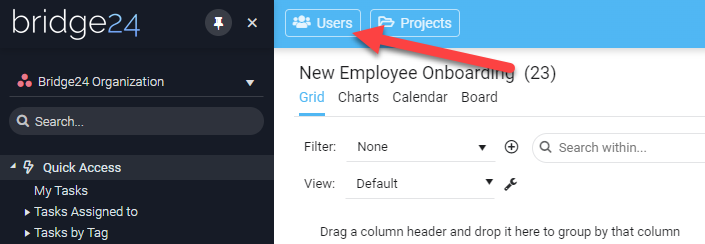
Bridge24 is still evolving with a panel displaying the list of your users in a comprehensive grid, allowing you to filter, sort, group, and export them to Excel. Moreover, you can now easily invite your users to use Bridge24 with a single click of a button.

Table of Content

Asana

How to open the User List for Asana?

Simply use the “Users” button located at the top upper left of the screen. See the image below:

What columns are available in the panel view for Asana?

The user panel allows you to add/remove the columns in the grid by simply clicking the 3-dot menu for any column. You can choose among 4 columns […]

By |2025-11-14T09:45:03-05:00January 13, 2023|

Introducing the Project List Panel for Asana, Trello, and Basecamp

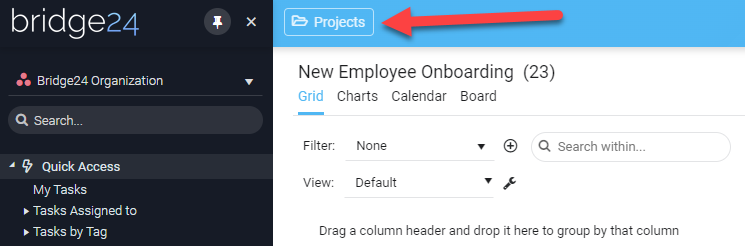
Bridge24 is still evolving with a panel displaying the list of your projects (Asana and Basecamp) or your boards if you are using Trello. This new panel displays all your projects/boards in a comprehensive grid, allowing you to filter, sort, group, and export them.

Table of Content:

Asana

How to open the Project List for Asana?

Simply by using the “Projects” button located at the top upper left of the screen. See the image below:

What columns are available in the panel view for Asana?

The project panel allows you to add/remove the columns in the grid by simply clicking the 3-dot menu for any column. You can choose […]

By |2025-11-14T09:45:09-05:00October 5, 2022|

New Basecamp Gantt Chart / Calendar view in Bridge24

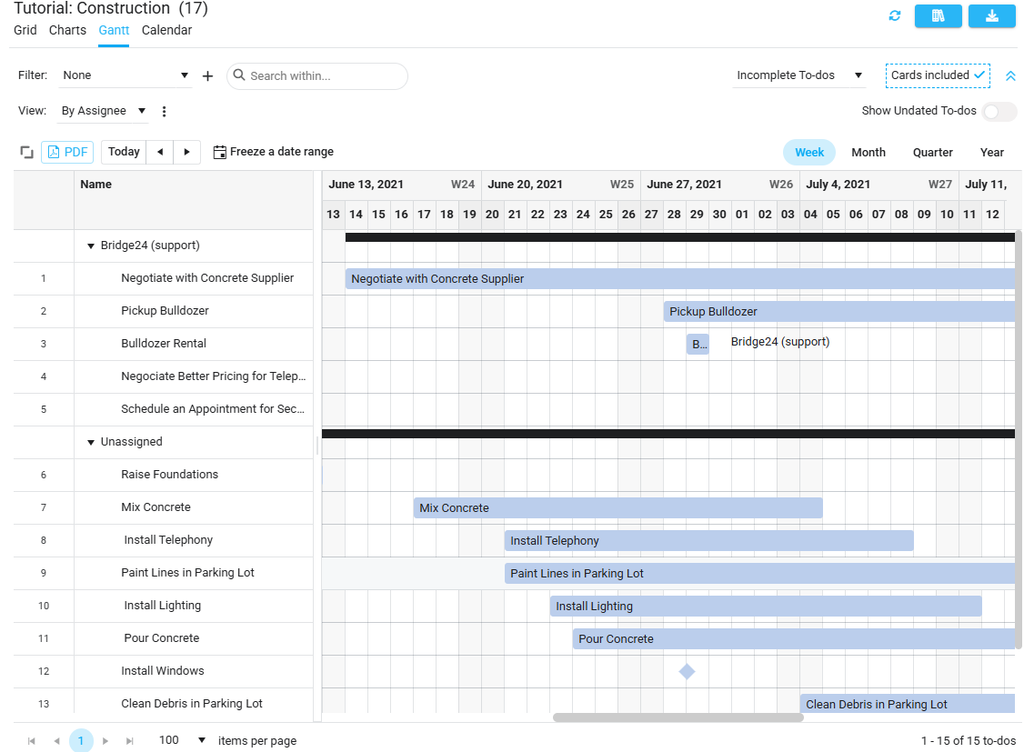
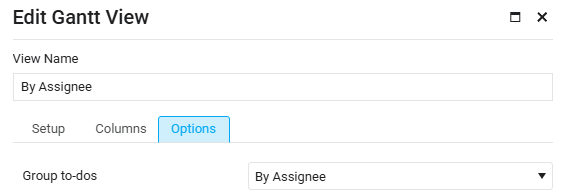
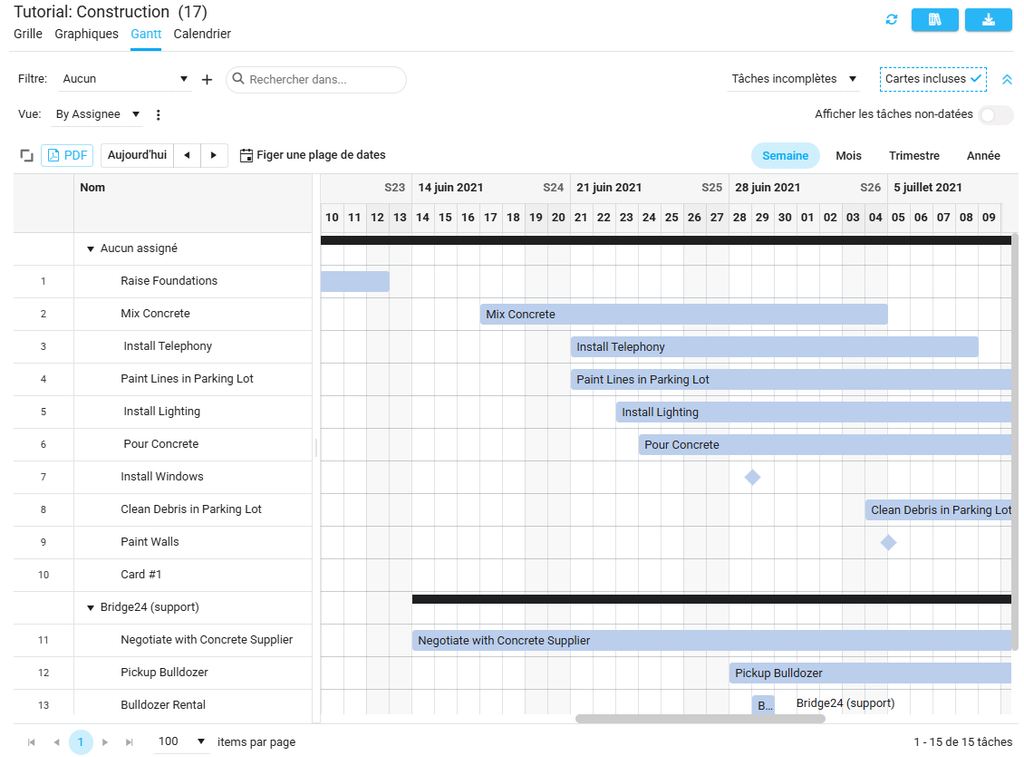
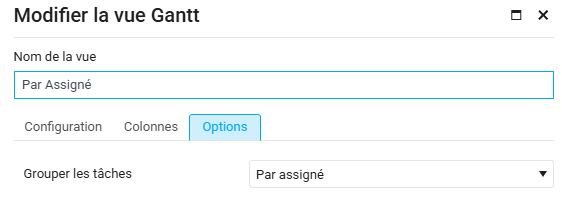
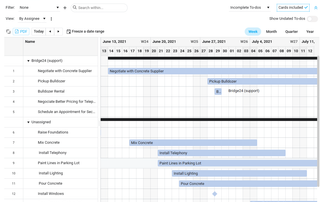
A heavily requested feature for Basecamp 3 users of Bridge24, we are excited to provide access to the Gantt Chart view. This view is very flexible in that it can use any date field as a punctual date or as a start and end dates. This allows you, therefore, to view a timeline of any activity in a continuous calendar across all Projects, and dynamically filter as required. Additionally, a new Calendar view is also now available.

How to use Gantt View

1) Active Search results

The Gant view is based on the Active Search and Filter results currently in the returned selection set. The Gantt view is able to display to-dos across multiple projects. Click on the Gantt view to display the chart.

2) Set Date(s) to use

The traditional use of a Gantt chart is in planning, where the […]

By |2022-05-26T14:25:49-04:00June 17, 2021|

Asana vs Basecamp Comparison: Which is Best?

This 2020, project managers have a lot to choose from when it comes to software for project management. For a friendly-user tool, Asana and Basecamp are better among others, but choosing which one to go for is the reason to differentiate them in this article.

When it comes to clients and company success from start-up up to the present, Asana and Basecamp have already proven their value in the market. There are plenty of articles that offer the best reviews about Asana and Basecamp that is why we will focus the discussion on comparing them to figure out the best choice.

Recommended software: Bridge24 for Trello and Bridge24 for Asana.

A Run-down of Asana versus Basecamp

This run-down will have four counts to see which of the two has the best functionality in different scopes. It […]

By |2020-01-26T20:34:25-05:00January 26, 2020|
Go to Top