How Bridge24 Synchronizes Your Asana, Basecamp, and Trello Data

(version française)

At Bridge24, we know that trust is the cornerstone of project management. When you connect tools like Asana, Basecamp, or Trello to our platform, you are entrusting us with access to your most strategic information: your tasks, your projects, and your teams.

This is why we have designed our architecture with one absolute priority: your privacy.
Today, we want to pull back the curtain on the technology that powers Bridge24 to explain exactly how we handle your data.

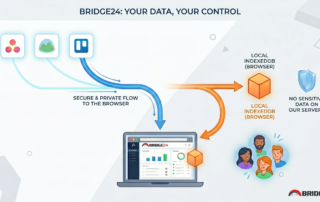
Your Data Stays with You (And Nowhere Else)

The question we are asked most often is, “Where is my data stored?”
The answer is simple: in your browser.

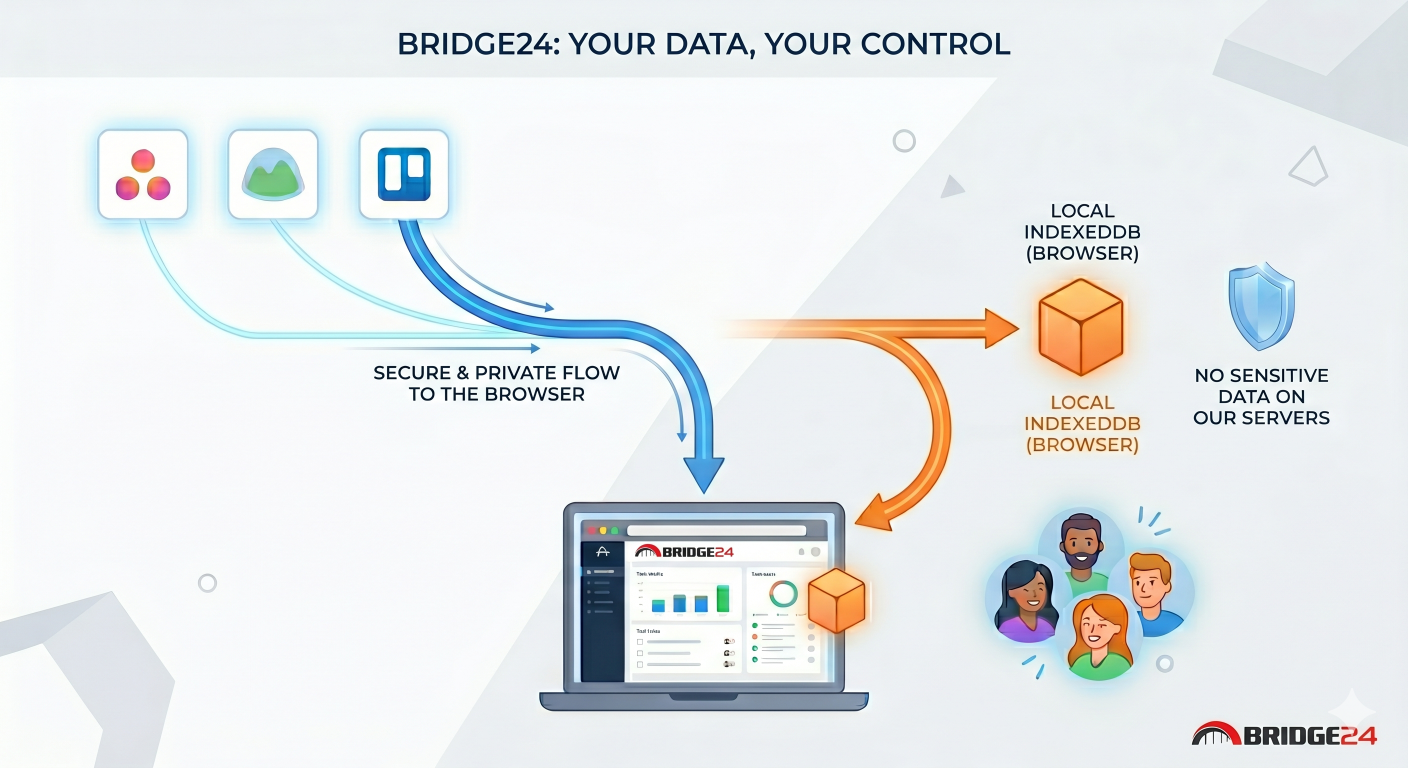
Bridge24 utilizes a technology called IndexedDB. It is a local database built directly into your web browser.
Essentially, when you use Bridge24, we act as an interface for viewing and manipulating your data: we display it, but we do […]

By |2026-04-24T13:58:15-04:00April 24, 2026|

Comment Bridge24 synchronise vos données Asana, Basecamp et Trello

(version anglaise)

Chez Bridge24, nous savons que la confiance est le pilier central de la gestion de projet. Lorsque vous connectez vos outils comme Asana, Basecamp ou Trello à notre plateforme, vous nous confiez l’accès à vos informations les plus stratégiques : vos tâches, vos projets et vos équipes.

C’est pourquoi nous avons conçu notre architecture avec une priorité absolue : la sécurité de vos données.
Aujourd’hui, nous souhaitons lever le voile sur la technologie qui alimente Bridge24 pour vous expliquer comment nous traitons vos données.

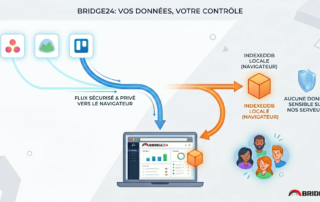
Vos données restent chez vous (et nulle part ailleurs)

La question que l’on nous pose le plus souvent est : « Où sont stockées mes données ? ».
La réponse est simple : dans votre navigateur.

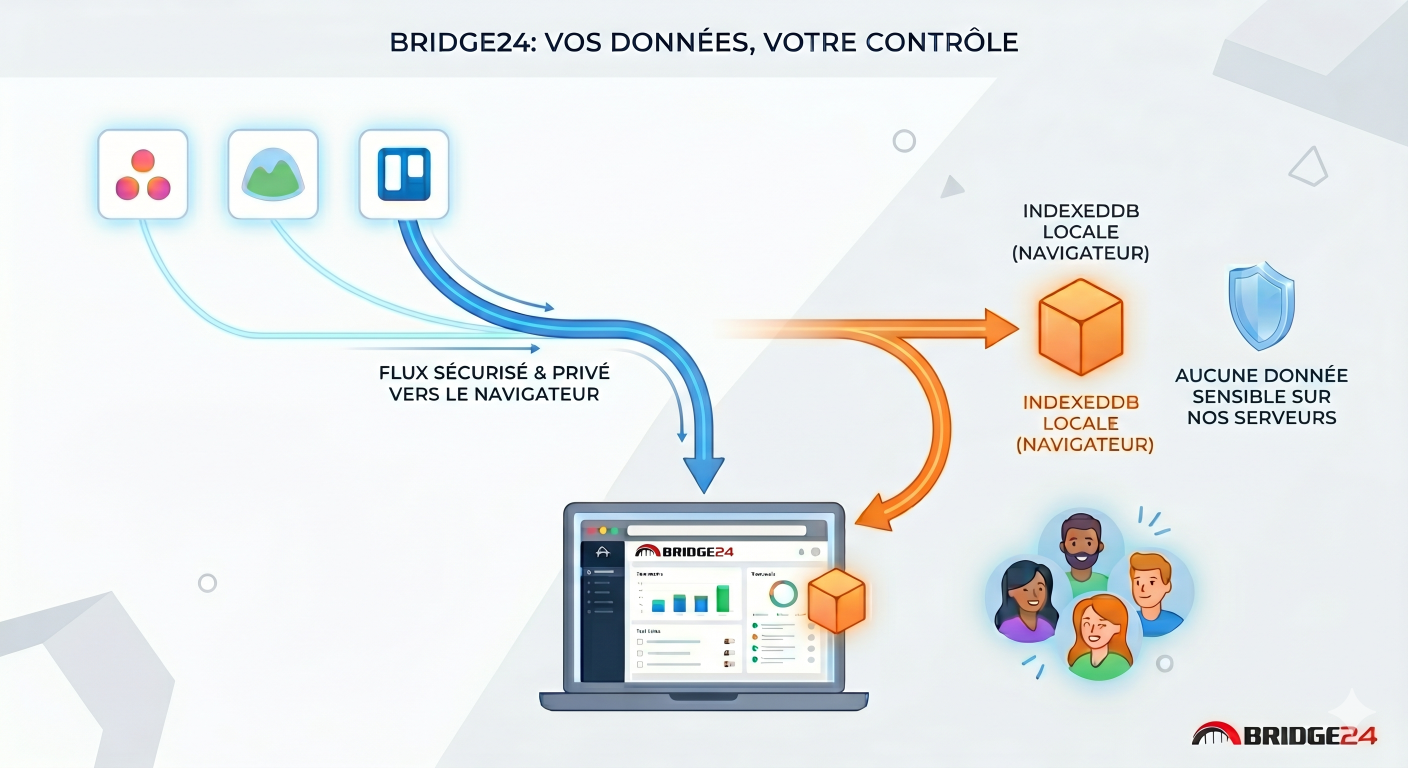
Bridge24 utilise une technologie appelée IndexedDB. Il s’agit d’une base de données locale intégrée directement à votre navigateur web. […]

By |2026-04-24T13:59:10-04:00April 24, 2026|

Asana Time Reports Now Available in Bridge24

The time tracking feature in Asana is highly valued by its users, yet Asana does not provide capabilities for generating comprehensive time reports from your entries. In Asana, users cannot access detailed time information for individual tasks or compile extensive time reports for their projects and tasks. Typically, only the cumulative hours are shown, without the ability to view individual time entry details.

Bridge24 has introduced a time reporting tool that allows for the display of detailed hours by task, project, and user. It enables the creation of consolidated time reports categorized by task, project, or user. Detailed time data can be viewed in the grid, within task reports, and on the task editing interface. Additionally, Bridge24 provides a panel that aggregates all time entries across all projects, tasks, and users.

Display the “Detailed Actual Time” column in the Grid View

When using the Grid View, you now have the option to include the “Detailed Actual Time” column. This feature provides a breakdown […]

By |2025-11-14T09:44:25-05:00April 15, 2024|

Calculated Fields for Asana, Basecamp, and Trello

Calculated fields or computed fields are a feature that allows users to perform calculations based on values from other fields within the same project. They are typically used to automate the calculation of values that would be time-consuming or error-prone to do manually.

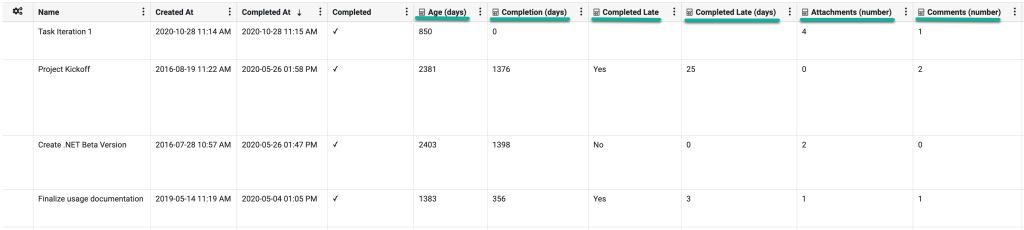
Bridge24 offers six calculated fields for Asana, Basecamp, and Trello. These fields can be used in most views: grids, charts, reports, and exports.

Age (days): The amount of time (in days) that has passed since the task was created. We calculate the value using the “Created At” field with today’s date.

Completion (days): This represents the number of days it took to complete the task since its creation. We calculate the value by taking the “Completed At” and the “Created At” fields.

Completed Late: This represents whether a task was completed on time. We calculate the value […]

By |2025-11-14T09:44:57-05:00March 2, 2023|

Trello – Backup & Export your Documents & Files in Bulk

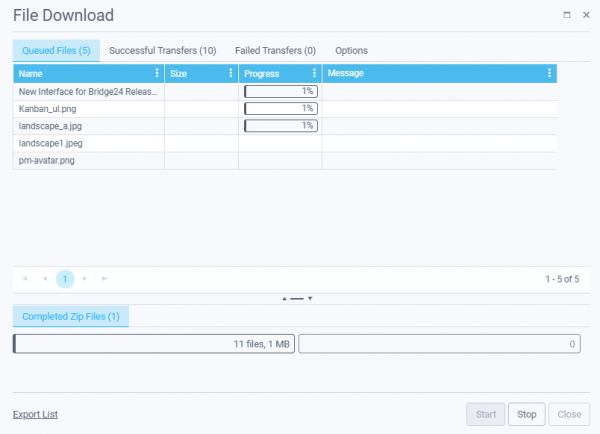
A heavily requested feature for Trello users of Bridge24, we are excited to provide access to the File Download Manager. This allows the punctual or bulk download of files (attachments) associated with cards (documents, images, other) within a card, a search set of cards, a board, or across multiple boards. It has been optimized to track the transfer status and provides an index and log in structured zip files. Whether just with a few attachments or a full backup of 10s of GBs of files, this feature is robust and gets the job done!

File Download Manager usage

1) Active Search results

Be sure to create a Search or use the Quick links to access and display your Active search results in the Grid. You can then filter the returned cards as desired to include the cards with attachments that you are interested in downloading. (Option – Use the column […]

By |2023-02-21T13:57:31-05:00February 21, 2023|

Asana – Backup & Export your Attachments & Files in Bulk

A heavily requested feature for Asana users of Bridge24, we are excited to provide access to the Asana File Download Manager. This allows the punctual or bulk download of files (attachments) associated with tasks (documents, images, others) within a task, a search set of tasks, a project, or across multiple projects.

It has been optimized to track the transfer status and provides an index and log in structured zip files. Whether just with a few attachments or a full backup of 10s of GBs of files, this feature is robust and gets the job done!

File Download Manager usage

1) Active Search results

Be sure to create a Search or use the Quick links to access and display your Active search results in the Grid. You can then filter the returned tasks as […]

By |2023-02-18T18:38:45-05:00February 18, 2023|

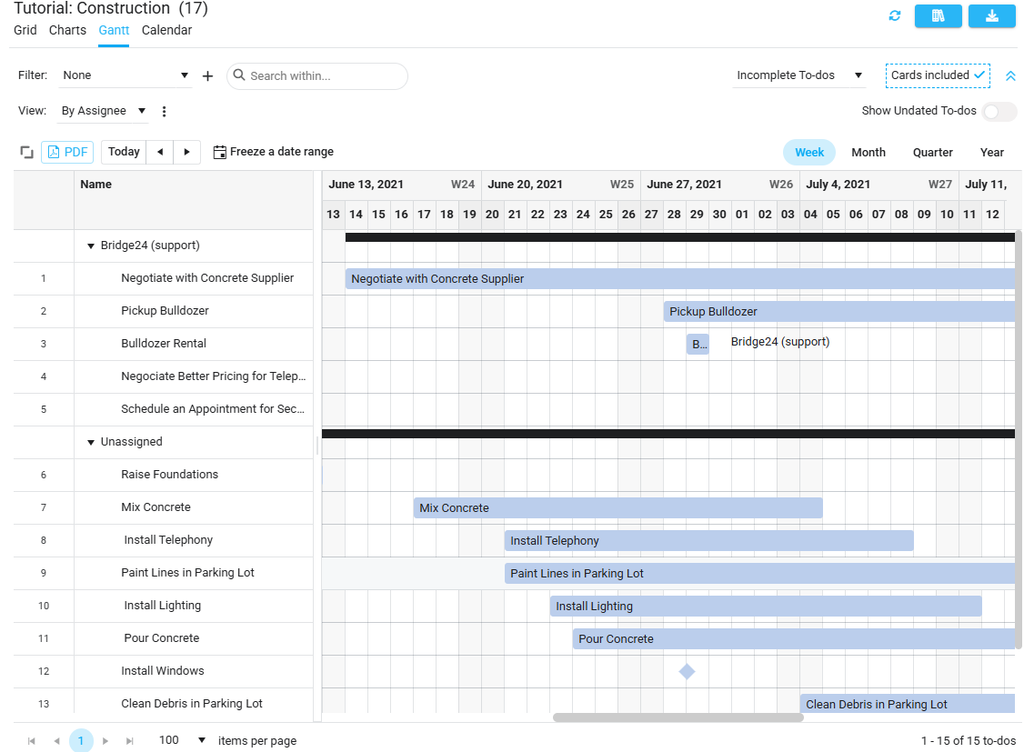
New Basecamp Gantt Chart / Calendar view in Bridge24

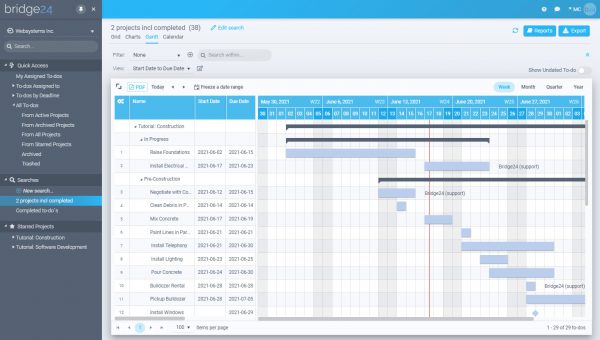
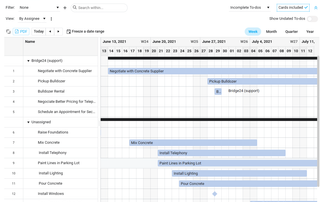
A heavily requested feature for Basecamp 3 users of Bridge24, we are excited to provide access to the Gantt Chart view. This view is very flexible in that it can use any date field as a punctual date or as a start and end dates. This allows you, therefore, to view a timeline of any activity in a continuous calendar across all Projects, and dynamically filter as required. Additionally, a new Calendar view is also now available.

How to use Gantt View

1) Active Search results

The Gant view is based on the Active Search and Filter results currently in the returned selection set. The Gantt view is able to display to-dos across multiple projects. Click on the Gantt view to display the chart.

2) Set Date(s) to use

The traditional use of a Gantt chart is in planning, where the […]

By |2022-05-26T14:25:49-04:00June 17, 2021|

Gantt Chart View for Trello in Bridge24 – New Feature

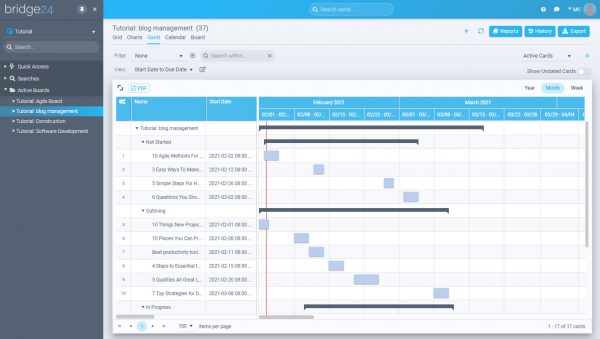
A heavily requested feature for Trello users of Bridge24, we are excited to provide access to the first iteration of the Gantt Chart view. This view is very flexible in that it can use any date field as a punctual date or as a start and end dates. This allows you, therefore, to view a timeline of any activity in a continuous calendar across all Boards, and dynamically filter as required.

Gantt Chart View usage

The traditional use of a Gantt chart is in planning, where the user adds and moves tasks in time to view project progression. It is based on a start date and an end date. Trello, until recently, did not have a Card Start date. Development of the Bridge24 Gantt view preceded their release of this new date field, so we decided to allow any date field, including those from Custom fields to be used for either the […]

By |2021-02-01T13:15:40-05:00February 1, 2021|

Calendar Enhancements in Bridge24 – New Release

Your Bridge24 account comes with lots of interesting and powerful features that you may not be aware of. Recently we updated the Calendar view with the unique ability to display different dates on the calendar (not just Due date). 

Calendar View

Many users make use of the Calendar view to get a quick glance at how their tasks are dispersed through time. Prior to the recent changes, only the due date was viewable. Now, select other dates and ranges to view, such as Created At and Last Updated At. This can provide valuable insight at a glance.

A use case may be to filter by User and see all tasks that have been “Last Updated” recently by that User. Or, if you have a ticketing project, you can use “Created At” date to view the spread of ticket creation throughout the month.

If you are a Trello user, Custom date […]

By |2020-11-02T10:19:42-05:00November 2, 2020|

Shared Searches across users in your Bridge24 account – New Release

Bridge24 provides a powerful reporting capability for Asana, Basecamp, Trello, and AceProject. We now have added the ability to use share your Searches for other users in your Bridge24 account to access and use.

Each Bridge24 account comes with 5 users for you and your colleagues to use to create great reports and other representations of your data. Many users create a lot of Searches, and when they add another user, there has been keen interest in the ability to share those searches with the other users. As of today, this is now possible!

Sharing Searches

Setting up Search parameters can take time, and some users create a lot of Searches. When a new user joins their Bridge24 account it may take a lot of energy to recreate those searches for the new user to create/access the same search parameters. The same Searches are usually used by multiple users so that they can display/create similar reports, charts, or exports.

On […]

By |2020-08-28T09:10:34-04:00August 28, 2020|
Go to Top